uriroig
← Blog

Guides28 October 2026 · 7 min read

Process automation: a practical guide

What process and task automation is, how it differs from RPA and AI, examples by department, and how to choose the first process to automate.

URUri Roiguriroig.es
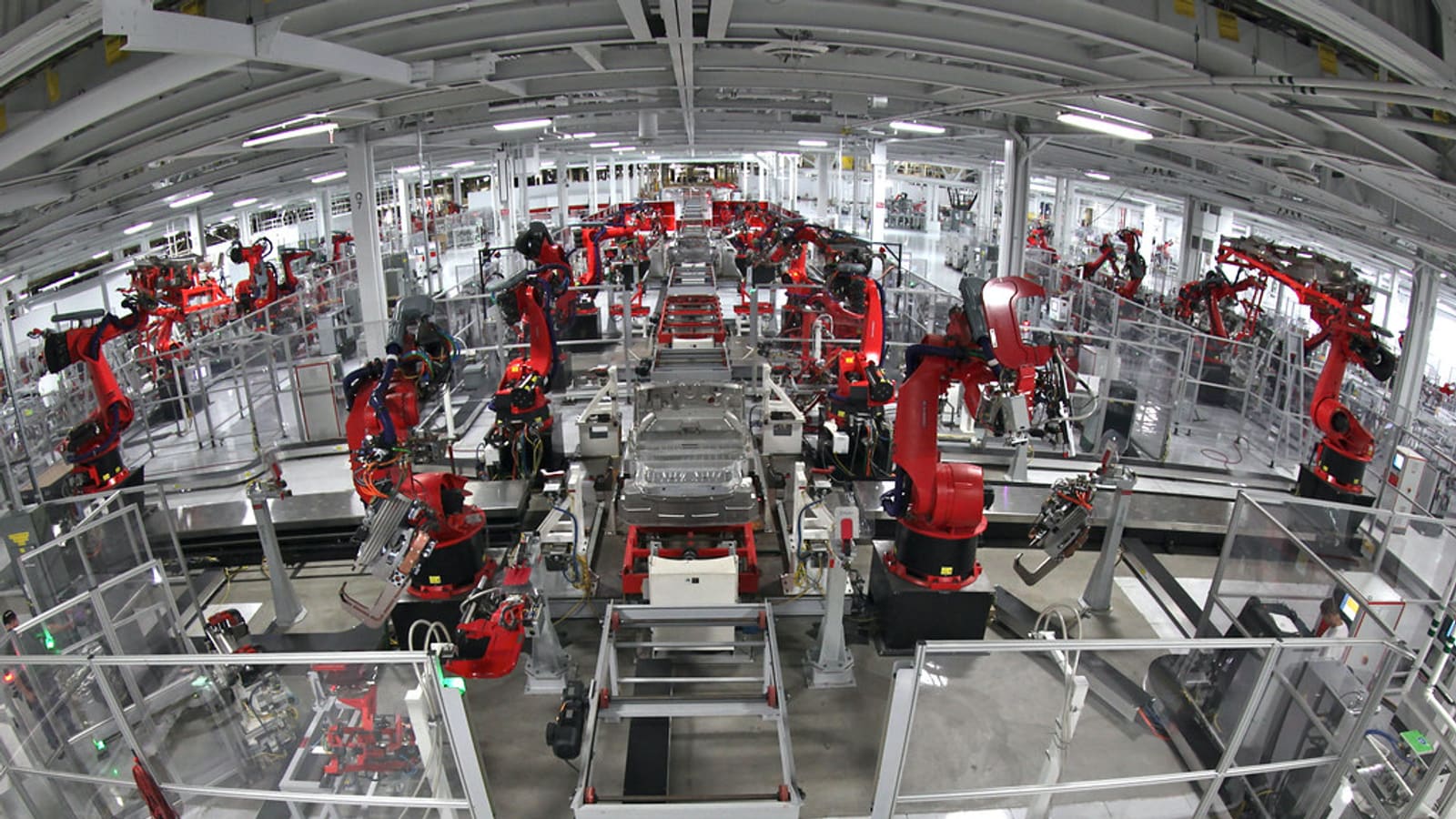
Línea de montaje automatizada con brazos robóticos industriales rojos
📷 jurvetson · CC BY 2.0 · Flickr
UR

I build websites, custom software, apps and AI automations for businesses.

  • ✓Fixed-price quote
  • ✓Reply within 24h
  • ✓No commitment
Get a free quote→
In this article
  1. What is process automation
  2. Three ways to automate: integrations, RPA and AI
  3. Processes that can be automated, by department
  4. How to choose the first process
  5. How to start, step by step
  6. Common mistakes
  7. What affects the cost
  8. Frequently asked questions

Copying data from an email into the management program, moving orders from the website into the ERP, sending the same reminder every week. These are small tasks, but added together they take up hours of people who could be doing something else. This guide explains what process automation is, which processes can be automated in each department and how to start without complicating your life.

What is process automation

Process automation means getting a program to carry out, without manual intervention, a series of steps that a person currently does: receiving information, checking it, moving it between applications and notifying the right person.

A distinction is often made between:

  • Task automation: a single step. For example, automatically saving the attachments of an email to a folder.
  • Process automation: a chain of steps with rules. For example, receiving an order, checking stock, creating the delivery note, alerting the warehouse and sending the confirmation to the customer.

What matters is not the tool but that the process is defined: what comes in, which rules apply, what comes out and what happens when something does not fit.

Three ways to automate: integrations, RPA and AI

Approach How it works When it fits Limit
API integration The programs talk to each other directly Your tools have an API or connectors If a program has no API, it does not work on its own
RPA (robotic process automation) A software robot imitates clicks and typing on screen Old programs without an API that cannot be changed Breaks when the screen changes; more maintenance
AI automation An AI model understands text, documents or images Messy inputs: emails, PDFs, photos, messages Can make mistakes; needs checks and review

In practice they are combined. A single workflow can use AI to read an email, an API to create the order in the ERP and, only if there is no alternative, RPA to enter the data in an old program.

What exactly is RPA?

RPA (short for Robotic Process Automation) refers to programs that repeat the actions a person would take at the computer: opening an application, copying a field, pasting it into another. Tools such as UiPath or Power Automate Desktop are designed for this. It is useful when there is no other way to access a program, but it is the most fragile option: if a button moves, the robot fails. If your program has an API, using it is almost always better.

Processes that can be automated, by department

Administration and finance

  • Reading supplier invoices and recording them in the accounts (we explain this in how to automate invoices with AI).
  • Sending payment reminders when an invoice falls due.
  • Preparing the monthly cash-flow report with data from the bank and the ERP.

Sales

  • Moving contacts from the website form into the CRM with all their details and the source.
  • Assigning each contact to the right salesperson by area or service.
  • Reminding the salesperson of pending follow-ups.

Customer service

  • Classifying incoming emails by type (incident, enquiry, complaint) and sending them to the right person.
  • Answering frequently asked questions with an assistant and passing the rest to a person.
  • Sending satisfaction surveys when an incident is closed.

Operations and logistics

  • Creating orders in the ERP from those that arrive by email or from the online shop.
  • Sending an alert when a product falls below a minimum stock level.
  • Generating shipping documents and passing the tracking details to the customer.

Human resources

  • Collecting the paperwork for a new starter and checking that it is complete.
  • Managing holiday requests with approval from the manager.
  • Reminding people of training or certificate renewals.

Example: an online shop also sells to trade customers who send orders by email in their own format. A workflow reads each email with AI, identifies the customer, product references and quantities, checks that the references exist and creates the order in the ERP. If a reference does not match, the order goes into a queue for someone in the office to review. The rest go straight through.

How to choose the first process

Not every process deserves to be automated. Score each candidate with these questions:

Question Points in favour Points against
How often does it happen? Several times a day or a week A few times a year
Are the rules clear? They can be written on one sheet "It depends", and nobody knows on what
How much does a mistake cost? It is easily spotted and corrected It affects money, customers or compliance with no control
Can the programs be connected? They have an API or import files You can only type on screen
Is there someone asking for it? The team suffers it daily Nobody misses it

The best first process is frequent, with clear rules, mistakes that are easy to correct and programs that can be connected. Starting with something like that gives visible results quickly and teaches you how to approach the next ones.

How to start, step by step

  1. Map the current process. Steps, who does them, which programs they touch and where it gets stuck. A sheet of paper or a spreadsheet is enough.
  2. Measure the starting point. How often it happens and how long it takes. Without that you will not know whether the automation was worth it.
  3. Decide what the machine does and what a person keeps doing. Exceptions and decisions with consequences should stay in human hands.
  4. Choose the tool. For simple workflows between well-known applications, tools such as Zapier, Make or n8n may be enough. When there are rules of your own, several systems or data that must stay on your server, a custom automated workflow is the better choice.
  5. Test in parallel. For a while, the automated and manual processes run side by side and the results are compared.
  6. Set up error alerts. A workflow that fails silently is worse than none. Someone must find out when something goes wrong.

Common mistakes

  • Automating a process nobody understands. First you organise it, then you automate it.
  • Trying to cover 100% of cases. It is better to automate the normal cases and leave the exceptions to a person.
  • Not assigning an owner. Someone in the company must know what the workflow does and whom to call if it fails.
  • Forgetting maintenance. When a supplier changes its API or your team changes a procedure, the workflow has to change too.
  • Moving personal data without thinking. If the process handles customer or employee data, check with your adviser which GDPR obligations apply and which external services are involved.

What affects the cost

The price of an automation depends mainly on:

  • How many programs have to be connected and whether they have an API.
  • How many rules and exceptions the process has.
  • Whether AI is involved in reading documents or messages.
  • Where it has to run (in the cloud or on your own servers).
  • Ongoing maintenance.

The sensible approach is to start with a well-defined process on a fixed-price quote and expand once it has been shown to work.

Frequently asked questions

What is the difference between process automation and RPA?

RPA is one specific way of automating: it imitates a person using the screen. Process automation is the general concept, and it can be done with API integrations, with AI, with RPA or with a combination.

Do I need to change my programs in order to automate?

Not always. Many automations connect the programs you already use. If one of them allows no connection at all, alternatives such as importing files are considered or, as a last resort, RPA.

Does automating mean nobody checks anything?

No. A good workflow automates the normal cases and passes doubtful ones to a person. Important decisions, such as approving a payment, remain human.

When is AI needed in an automation?

When the incoming information has no fixed format: hand-written emails, PDFs from different suppliers or customer messages. If the data already arrives structured, rules are enough. For documents, see how reading invoices and documents with AI works.

How long does it take to automate a process?

It depends on the number of systems and exceptions. A simple workflow between two applications with an API is quicker to build than one that crosses several programs and documents. The sensible approach is to define a small first phase and measure it.

Have a process that eats up hours every week? Tell us how you do it today and we will tell you whether it is worth automating, and how.

What do manual tasks cost you?FreeWork out in a minute the hours and money you lose each year and what you could win back.
Share itLinkedInWhatsAppX
UR

Written by

Uri Roig

Technical consultant and developer with more than 10 years of programming. I help small businesses grow their revenue with websites, custom software, apps and AI automation, from Matadepera (Barcelona).

+34 662 23 19 83 · WhatsApp

Keep reading

Free quote · reply within 24h

Tell me about your case

Tell us what you need and within 24h you'll have a fixed-price estimate. No commitment.

Step 2 of 2

Your details

By submitting you agree that we may contact you about your request. See privacy.