uriroig
← Blog

Guides28 October 2026 · 7 min read

Management software: what it is, types, how to choose

What business management software is, which types exist (invoicing, CRM, ERP, sector-specific) and how to choose the most suitable one for your small business.

URUri Roiguriroig.es
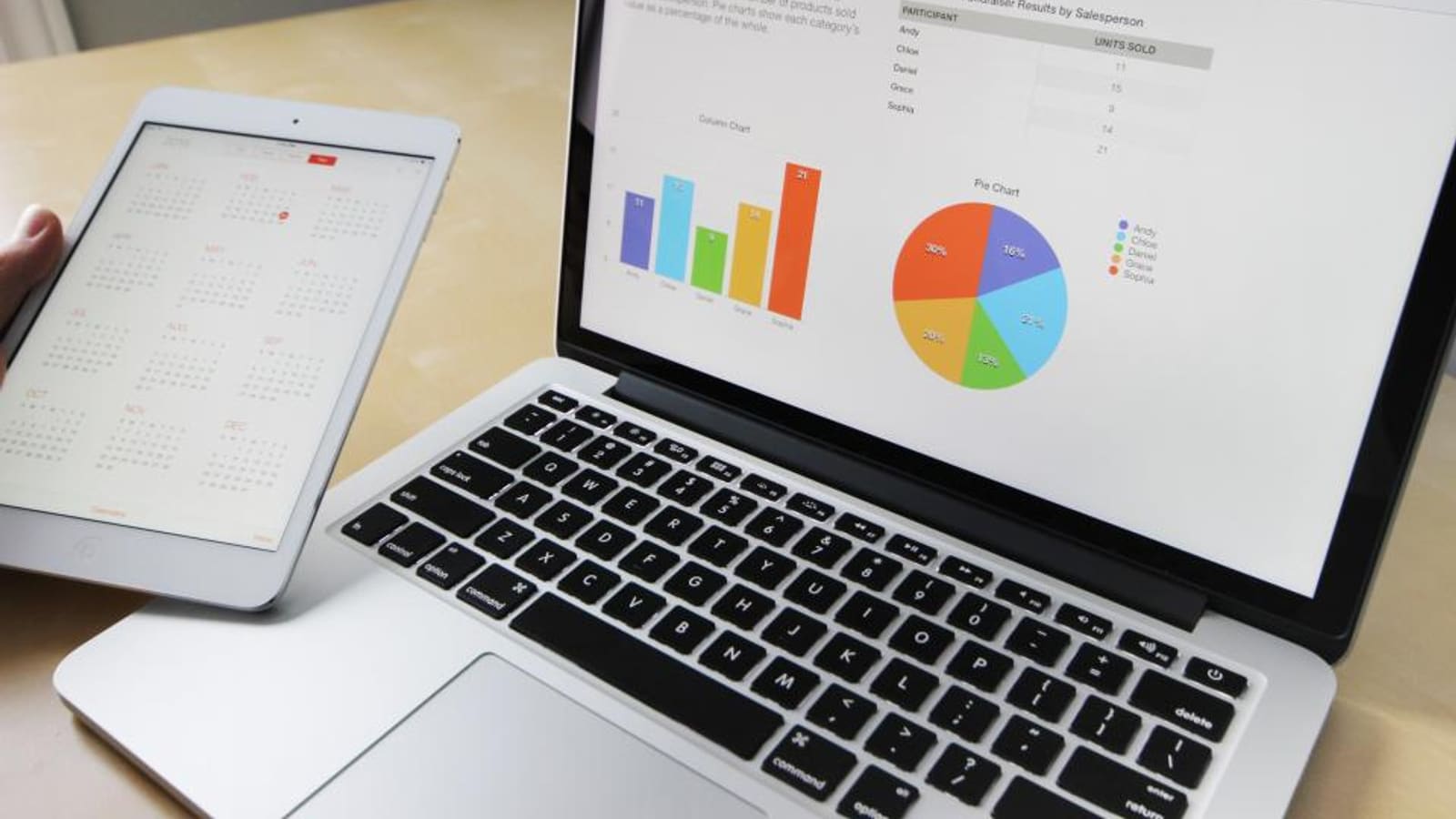
Portátil con gráficos de ventas en pantalla y una tableta con calendario sobre una mesa de oficina
📷 Marc Chouinard · CC0 · Stocksnap
UR

I build websites, custom software, apps and AI automations for businesses.

  • ✓Fixed-price quote
  • ✓Reply within 24h
  • ✓No commitment
Get a free quote→
In this article
  1. What management software is for
  2. Types of management software
  3. How to choose management software in 6 steps
  4. Checklist for comparing management programs
  5. Off-the-shelf or bespoke management software
  6. What affects the cost
  7. Common mistakes when choosing
  8. Frequently asked questions
  9. Summary

Management software is a program that helps a company organise and control its daily tasks: customers, quotes, orders, invoices, stock, appointments, projects or staff. It replaces spreadsheets, paper and scattered emails with a tool where the data is organised, shared across the team and available at any time.

The term is broad. "Management software" or "business management systems" covers everything from an invoicing program for freelancers to an ERP that runs a factory. This guide explains the types that exist, how to tell which one you need and what to ask before choosing.

What management software is for

Whatever the type, a good management program solves these problems:

  • Scattered information. A customer's details are in an Excel file, in the salesperson's email and in the head of whoever deals with them.
  • Repeated work. The same thing is typed into the quote, the delivery note and the invoice.
  • Lack of control. You don't know what is pending, who it is assigned to or how the month is going until someone works it out.
  • Dependence on people. If whoever keeps the Excel file goes on holiday, nobody can find anything.

Example: an installation company keeps fault reports in a messaging group, quotes in Word and invoices in another program. With management software, the report is entered once, assigned to a technician, the technician records the job report from their phone and the invoice is produced from the report's data, without retyping it.

Types of management software

By the function they cover

Type What it does Who it suits
Invoicing Quotes, invoices, collections, VAT books Freelancers and small service companies
CRM Customers, opportunities, sales follow-up Companies with a sales team or a long sales cycle
Warehouse management Stock, goods in, goods out, stocktakes Shops, distributors, online stores
Project and service management Tasks, hours, job reports Consultancies, agencies, maintenance companies
Bookings and appointments Diary, reminders, payments Clinics, centres, workshops
Human resources Clocking in, holidays, documentation Companies with several employees or shifts
ERP Several of the above connected in a single database Companies with stock, purchasing, production or many processes

If the last one interests you, we have a specific guide: what an ERP is and when a small business needs one.

By approach

  • General-purpose. Suitable for companies in any sector. Flexible, but it needs configuring and sometimes you have to adapt the way you work.
  • Sector-specific. Designed for a particular sector: hospitality, workshops, clinics, construction, accountancy firms. It fits quickly if you work like most of your sector.
  • Bespoke. Programmed for your company. It adapts to your processes rather than the other way round.

By how it is used

  • In the cloud. You access it from the browser or your phone, pay a subscription and the provider takes care of servers, backups and updates.
  • Installed on your own computers. More control over the data, but security, backups and updates become your responsibility.

How to choose management software in 6 steps

1. Start with the problem, not the program

Write down on a sheet of paper what costs you the most time or money today. "It takes us two days to prepare the month's invoices" is useful. "We want to go digital" is not.

2. Map your current process

What comes in (an order, a call, an email), who handles it, what goes out (an invoice, a shipment, a report). That way you will know what the program must cover and can check it in demos.

3. Separate what is standard from what is your own

Invoicing is the same in almost every company. Your way of quoting, scheduling or providing service may not be. If almost everything is standard, an off-the-shelf program will do. If what sets you apart doesn't fit any of them, consider a bespoke solution or a mixed model.

4. Test with your real data

Ask for a demo or a trial period and use your everyday cases: your most complicated customer, your oddest order, your special price. Demos with sample data always work.

5. Check integrations and data export

Ask:

  • Does it connect to my online shop, my bank or my accountancy firm's program?
  • Does it have an API so I can connect it to other tools in the future?
  • Can I export all my data in a standard format if one day I want to switch?

6. Work out the cost over several years

Add up per-user licences, implementation, training, extra modules and the time your team will lose on what the program doesn't solve. Compare over three to five years, not just the first month.

Checklist for comparing management programs

Question Why it matters
Does it cover my main process without workarounds? If the real work carries on in Excel, the program isn't a fit
How many users do I need and how is each one paid for? The cost per user grows with the team
Does it work on mobile? Essential if there are staff out of the office
Does it comply with invoicing regulations? Invoicing programs must adapt to the tax authority's requirements
Who provides support and during what hours? A problem with invoicing can't wait a week
Where is my data and who can see it? Data protection and security
Can I export my data? Avoids being tied to the provider

Off-the-shelf or bespoke management software

Most small businesses should start with an off-the-shelf program. Bespoke management software makes sense when:

  • You pay for a program, but the real work is still done in spreadsheets.
  • Your process is what sets you apart and no program respects it.
  • Customers, suppliers or field technicians need to log in with their own views and permissions.
  • You use several programs and someone spends hours copying data from one to another.

Example: a machinery rental company with day-based contracts, deposits, mandatory inspections between rentals and prices that change by season. General-purpose programs cover the invoice, but not the availability calendar or the inspections. A bespoke tool for that part, connected to the invoicing program, solves the problem without redoing what already works.

If this is your case, you can see how we work on bespoke management software. And if everything lives in Excel today, see how we approach migrating from Excel to a proper system.

What affects the cost

We don't publish fixed prices because they depend on each project, but you can know what drives the cost:

  • Off-the-shelf program: number of users, modules contracted, hours of configuration and implementation, training and support.
  • Bespoke program: number of processes it covers, types of user and permissions, integrations with other programs, data migration and the state of that data.

In both cases, ask for quotes that itemise these parts so you can genuinely compare them.

Common mistakes when choosing

  • Choosing the prettiest demo rather than the one that solves your process.
  • Buying more modules than you will use "just in case".
  • Not involving the people who will use it every day. If the team doesn't adopt it, the program is useless.
  • Migrating the data as it is, duplicates and errors included.
  • Forgetting about integrations until it is already implemented.

Frequently asked questions

What is the difference between management software and an ERP?

An ERP is a type of management software that brings several areas (sales, purchasing, stock, invoicing, production) together in a single database. Management software can cover just one of those areas.

What is a business management system?

It is another name for management software, normally when it covers several areas of the company. In practice, it is used almost as a synonym for ERP.

Do I need management software if I run a small company?

If you issue invoices, have repeat customers or manage stock, it will save you time. You don't need the most complete one: start with the one that solves your main problem.

Can I connect several programs instead of switching to a single one?

Yes. It is often the quickest option: keep the programs that work and connect them so they share data. We explain it in the guide to systems integration.

Summary

  • Management software organises a company's daily tasks in a single tool.
  • There are types by function (invoicing, CRM, warehouse, ERP), by approach (general-purpose, sector-specific, bespoke) and by installation (cloud or local).
  • Choose by starting from your main problem, test with your own data and make sure you can export it.
  • Bespoke makes sense when your process is your advantage and no program respects it.

Not sure what type of program your company needs? Tell us how you work and we will give you an honest recommendation, with a fixed-price quote if it fits what we do.

What do manual tasks cost you?FreeWork out in a minute the hours and money you lose each year and what you could win back.
Share itLinkedInWhatsAppX
UR

Written by

Uri Roig

Technical consultant and developer with more than 10 years of programming. I help small businesses grow their revenue with websites, custom software, apps and AI automation, from Matadepera (Barcelona).

+34 662 23 19 83 · WhatsApp

Keep reading

Free quote · reply within 24h

Tell me about your case

Tell us what you need and within 24h you'll have a fixed-price estimate. No commitment.

Step 2 of 2

Your details

By submitting you agree that we may contact you about your request. See privacy.