uriroig
← Blog

Guides23 October 2026 · 7 min read

Custom or off-the-shelf ERP: how an SME should choose

An honest comparison of standard, configured, custom and hybrid ERP: costs, timescales, risks and signs to tell which one your business needs.

URUri Roiguriroig.es
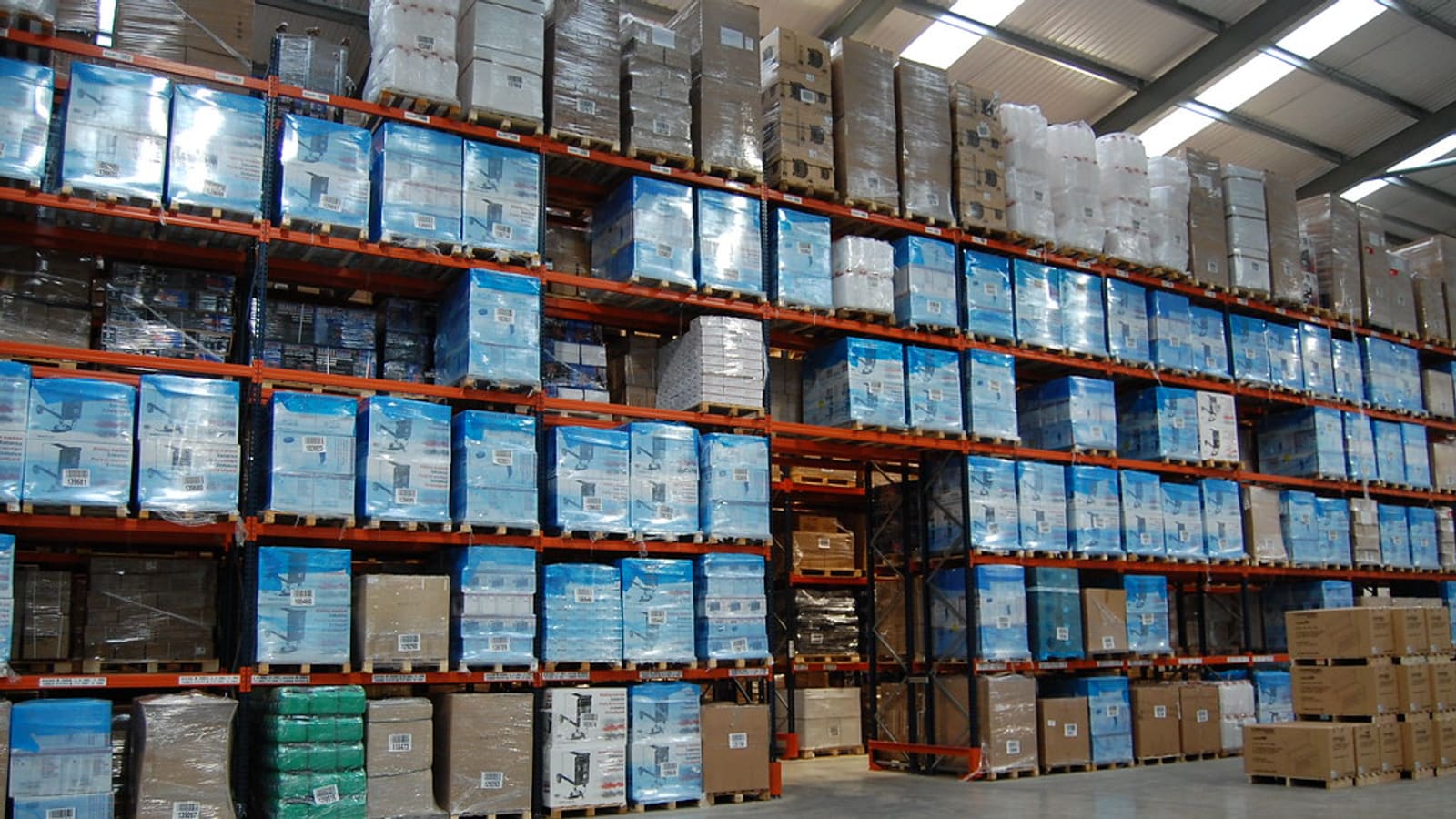
Almacén con estanterías altas llenas de palets y cajas de producto
📷 toolstop · CC BY 2.0 · Flickr
UR

I build websites, custom software, apps and AI automations for businesses.

  • ✓Fixed-price quote
  • ✓Reply within 24h
  • ✓No commitment
Get a free quote→
In this article
  1. What an ERP is and what options you have
  2. Quick comparison
  3. When a standard ERP is enough
  4. Signs that you need something custom (or hybrid)
  5. Examples by sector
  6. What the cost of each option depends on
  7. The risks of custom and how to reduce them
  8. How to decide in five steps
  9. Frequently asked questions
  10. Summary

There comes a point when the spreadsheets, the invoicing program and the emails can no longer cope, and someone says "we need an ERP". The next question is whether to buy one off the market or build it to order. We are a studio that develops custom software and, even so, we will tell you plainly: most small businesses do not need an ERP built from scratch. This guide helps you work out whether you are one that does, or whether an intermediate option suits you better.

What an ERP is and what options you have

An ERP is the program that brings the management of the company into one place: customers, orders, purchasing, stock, production, invoicing and, often, accounting. You have four routes:

  1. Standard ERP. A product from the market, normally by subscription, used as it is or with little configuration.
  2. Configured standard ERP. The same product adapted with advanced configuration, additional modules or developments on its platform.
  3. Custom ERP. A system programmed for your company, with your processes and your screens.
  4. Hybrid. A standard program for the common parts (accounting, statutory invoicing) and a custom tool for what sets you apart, connected to each other.

Quick comparison

Standard Configured Custom Hybrid
Initial investment Low Medium High Medium
Ongoing cost Per-user licences Licences + implementer support Hosting + maintenance Licences for the standard part + maintenance of your own
Time to go live Days or weeks Weeks or months Months Weeks or months, in phases
Fit with your way of working You adapt Quite good Total Total where it matters
Dependence On the vendor On the vendor and the implementer On the team that maintains it Shared
Ownership You rent the use You rent the use The code can be yours Mixed

There is no winning option in every row. The useful question is: which parts of your operations are standard, and which are the ones that make you different?

When a standard ERP is enough

  • Your processes are those of most companies in your sector: buying, selling, invoicing, controlling stock.
  • You are willing to change some habits to fit the program.
  • You have no unusual integrations or very particular business rules.
  • You want to start now with little investment.

If you recognise yourself here, try two or three ERPs with demos using your real data and your day-to-day cases, not the salesperson's examples. And before signing, ask how your data is exported if you ever want to leave.

Signs that you need something custom (or hybrid)

  • You pay for an ERP but the real work is still done in Excel. It is the clearest sign that the program does not fit.
  • Your process is your competitive advantage. A way of quoting, planning or providing service that your competitors do not have and that the standard product would force you to give up.
  • You are juggling several programs that do not talk to each other and someone copies data from one to another.
  • You pay for many licences for features you do not use and still lack the ones you need.
  • You need customers, suppliers or field technicians to log in with specific access and views.
  • Configuring the standard product already costs almost as much as developing your own, and still does not solve the problem.

Examples by sector

These are illustrative examples to show how the reasoning applies, not customer cases.

Garage or repair workshop

Work orders, tracking of each vehicle or piece of equipment and each technician's hours are the heart of the business. Sector-specific programs exist that solve this well. If yours works in a standard way, start there. If you have a process of your own (for example, you manage company fleets with special contracts and rates), a custom tool for work orders connected to your invoicing program may fit better.

Distribution company

Purchasing, stock, orders and delivery. A standard ERP usually covers the basics. What often fails are customer-specific price lists, routes or synchronisation with the online shop. Here the standard product plus good integrations is often enough, without the need for an ERP of your own.

Technical services company with staff out in the field

Maintenance, installations, cleaning. The challenge is for technicians to record job sheets, photos and signatures from their phones and for that to reach administration without any typing. A hybrid model works well: invoicing in a standard program and a custom tool (a mobile-friendly web app or an app) for the job sheets.

Company with a very distinctive process

Made-to-order manufacturing with complex quotes, logistics with special rules, services with unusual pricing models. This is where a custom ERP, or at least a custom core, makes the most sense.

What the cost of each option depends on

Standard ERPs are paid for mainly through per-user licences and, if you configure them, implementation hours. In custom development there are no licences, but the price depends on:

Factor Why it raises or lowers the cost
Number of processes it covers A tool for a single process (work orders, bookings, job sheets) is not the same as a complete ERP with modules
Users and permissions Different roles and approvals add logic and testing
Integrations Each program it has to connect to (accounting, shop, bank) adds work
Data migration Moving years of Excel files or an old program requires cleaning and validation
Quality of current data Tidy data lowers the cost; duplicate or incomplete data raises it

That is why the hybrid model is often the most cost-effective: you keep the standard program for the common parts and develop custom only the process that sets you apart, connected through an API. If you tell us your case, we give you a fixed-price quote before we start.

The risks of custom and how to reduce them

A custom ERP has real risks. Here are the main ones and what you can demand to minimise them:

Risk How to reduce it
Being tied to one supplier The code and data are yours, with documentation and well-known technologies
The project dragging on and costing more A fixed price in phases and frequent deliveries you can test
Building features nobody uses Start with the process that hurts most and expand based on what you learn
Depending on a single person Reviewable code, backups and a written maintenance plan
Reinventing accounting Leave accounting and statutory invoicing in a program from the market and connect them

In our projects the code is yours and we work on a fixed price in phases. You can see how we approach it under custom software.

How to decide in five steps

  1. Map your main processes on a sheet: what comes in, who touches it, what comes out. No jargon.
  2. Mark which are standard and which are your own. Invoicing is standard. Your way of quoting perhaps is not.
  3. Try two or three standard programs with your real cases and note what they do not solve.
  4. Work out the cost over three to five years of each option, including licences, implementation, maintenance and the time your team loses on workarounds.
  5. Start small. Whatever you decide, launch first the process that has the greatest impact.

Frequently asked questions

Is a custom ERP more expensive than a standard one?

At the start, almost always. In the medium term it depends on how many licences you pay for, how much it costs to configure the standard product and how much time your team loses working around it. Do the sums over several years, not just the first month.

Can I start with a standard one and move to custom later?

Yes, and it is often the most sensible course. What matters is choosing a standard product that lets you export your data and has an API, so you can connect it or migrate without pain.

What if I only need my current programs to talk to each other?

Then you do not need a new ERP but an integration. It is the cheapest and fastest option. See our integrations and APIs service.

Summary

  • Most small businesses should start with a standard or configured ERP.
  • Custom makes sense when your process is your advantage, when the standard product forces you to live in Excel or when you need very specific access and workflows.
  • The hybrid model (standard for the common parts, custom for what sets you apart) is often the best balance between cost and fit.
  • If you go custom, insist on code ownership, a fixed price in phases and frequent deliveries.

Not sure which option fits your company? Tell us how you work and we will give you an honest recommendation, even if it is that you do not need us.

What do manual tasks cost you?FreeWork out in a minute the hours and money you lose each year and what you could win back.
Share itLinkedInWhatsAppX
UR

Written by

Uri Roig

Technical consultant and developer with more than 10 years of programming. I help small businesses grow their revenue with websites, custom software, apps and AI automation, from Matadepera (Barcelona).

+34 662 23 19 83 · WhatsApp

Keep reading

Free quote · reply within 24h

Tell me about your case

Tell us what you need and within 24h you'll have a fixed-price estimate. No commitment.

Step 2 of 2

Your details

By submitting you agree that we may contact you about your request. See privacy.